Loads x8bitrain.github.io only after you choose. This project may ask you to provide game files from a copy you own.
This is the project’s own page inside a sandboxed frame. Some sites block embedding or do not work in a frame. If it stays blank, open x8bitrain.github.io in a new tab. We do not host commercial game files.
Shooters From the Radiant Optimizer X game list
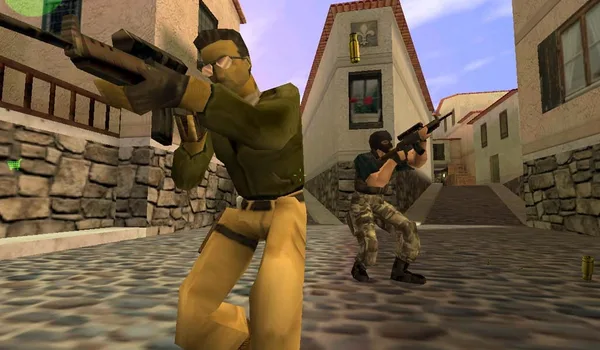
Half-Life / CS 1.6 browser game
Own game files
The webXash engine project for compatible Half-Life and Counter-Strike data.
This entry preserves the project link shared by Radiant Optimizer. The project’s own page determines what version, modes and controls are available.
Search note: Half-Life / CS 1.6 (also listed as Counter Strike CS 1.6 webXash). The source name and the project destination are documented separately on this page.
Project destination: x8bitrain.github.io
How to start Half-Life / CS 1.6
- Open the recorded project. Use the source link above to visit x8bitrain.github.io.
- Check the setup before loading. This project asks you to supply game data from your own copy. Read its import instructions before opening the player.
- Follow the current on-screen controls. Project controls may change between builds; use its own help or settings when available.
What to know before you play
- This link appears in the original list. Project requirements and gameplay have not been independently confirmed.
Controls and supported devices
Follow the controls shown by the project. Exact bindings are not independently documented here.
Documented device support: Desktop. An entry opening on a device alone does not confirm its input support.
Project status and source
The source link is preserved from the public game list. We have not confirmed the current requirements or a successful gameplay session.
Original post reference: the Radiant Optimizer game-links reply. See the full list and name corrections for neighboring projects.
Questions about Half-Life / CS 1.6
Can I play Half-Life / CS 1.6 in a browser?
This project asks you to supply game data from your own copy. Read its import instructions before opening the player.
Does Half-Life / CS 1.6 need files from my own game copy?
This link appears in the original list. Project requirements and gameplay have not been independently confirmed.
Where does the Half-Life / CS 1.6 game link open?
The link opens x8bitrain.github.io, the project destination recorded for this entry. Its current version and availability are controlled by that project.
Why might I see Counter Strike CS 1.6 webXash listed for Half-Life / CS 1.6?
The webXash engine project for compatible Half-Life and Counter-Strike data.
Keep exploring
Browse the browser-game directory, check the own-game-file requirements, or read the first-launch guide.