Loads dos.zone only after you choose. The game itself is provided by the linked project.
This is the project’s own page inside a sandboxed frame. Some sites block embedding or do not work in a frame. If it stays blank, open dos.zone in a new tab. We do not host commercial game files.
Strategy From the Radiant Optimizer X game list
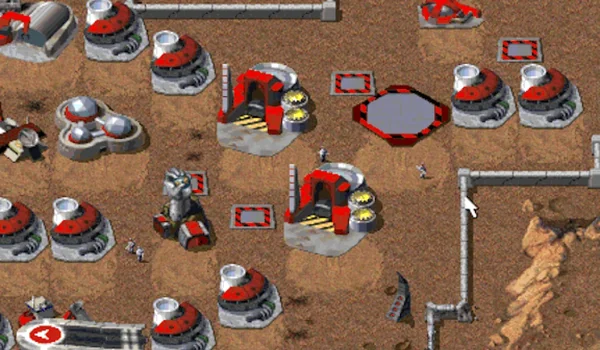
Command & Conquer browser game
Browser start
Find DOS.Zone’s browser entry for the 1995 Command & Conquer. This classic RTS has its own game player; use the host’s settings for mouse and keyboard input.
This entry preserves the project link shared by Radiant Optimizer. The project’s own page determines what version, modes and controls are available.
Project destination: dos.zone
How to start Command & Conquer
- Open the recorded project. Use the source link above to visit dos.zone.
- Check the setup before loading. The linked project documents a browser start path. It may still download a large amount of game data before play.
- Follow the current on-screen controls. Project controls may change between builds; use its own help or settings when available.
What to know before you play
- Starts in browser. Assets will download directly into your browser cache.
Controls and supported devices
Standard keyboard and mouse controls. Follow on-screen instructions. Exact bindings are not independently documented here.
Documented device support: Desktop. An entry opening on a device alone does not confirm its input support.
Project status and source
We reviewed the linked project page or its relevant instructions on 2026-10-10. That review supports the setup notes above; it does not certify every mode or a complete playthrough.
Original post reference: the Radiant Optimizer game-links reply. See the full list and name corrections for neighboring projects.
Questions about Command & Conquer
Can I play Command & Conquer in a browser?
The linked project documents a browser start path. It may still download a large amount of game data before play.
Does Command & Conquer need files from my own game copy?
This listing does not document a requirement to import your own game files. Check the linked project for its current access and setup terms.
Where does the Command & Conquer game link open?
The link opens dos.zone, the project destination recorded for this entry. Its current version and availability are controlled by that project.
Keep exploring
Browse the browser-game directory, check the own-game-file requirements, or read the first-launch guide.